Best Device for Streaming 4K, With 4K content exploding on Netflix, Disney+, and YouTube, the right streaming device ensures smooth, high-resolution playback with HDR and Dolby Atmos. Top models outperform built-in smart TV apps with faster processors and broader app support. Our top picks—Roku Ultra (Best Overall), Apple TV 4K (Best Premium), Amazon Fire TV Stick 4K Max (Best Budget), NVIDIA Shield TV Pro (Best for Gamers), and Google Chromecast with Google TV 4K (Best Google Integration)—handle 4K/60fps, HDR10+/Dolby Vision, and seamless ecosystems.
Key factors include processor speed (A15 Bionic, MediaTek MT8696), Wi-Fi 6/6E, storage (16–64GB), voice remotes, and price ($50–$200). These devices suit smart TVs, projectors, or home theaters for binge-watching, sports, or movies.
ALSO READ: Best Camera Sunglasses
Why Choose a Dedicated 4K Streaming Device?
Benefits of 4K Streaming Devices
Dedicated streaming devices deliver faster processors and better UI than built-in TV apps, supporting more services like Netflix 4K and YouTube HDR, per TechRadar. They’re perfect for upgrading older TVs to 4K, multi-room streaming, or cord-cutting with live TV (YouTube TV, Sling). Features include 4K/60fps HDR, Dolby Vision/Atmos, voice search (Alexa/Siri/Google), and Ethernet for stability, per PCMag. At $50–$200, they’re a cost-effective upgrade vs. new 4K TVs ($500+), with future-proof Wi-Fi 6E, per CNET.
Top 5 Best Device for Streaming 4K
Below are five top devices, compared by processor, video quality, storage, price ($50–$200), and suitability for streaming needs.
1. Roku Ultra – Best Overall
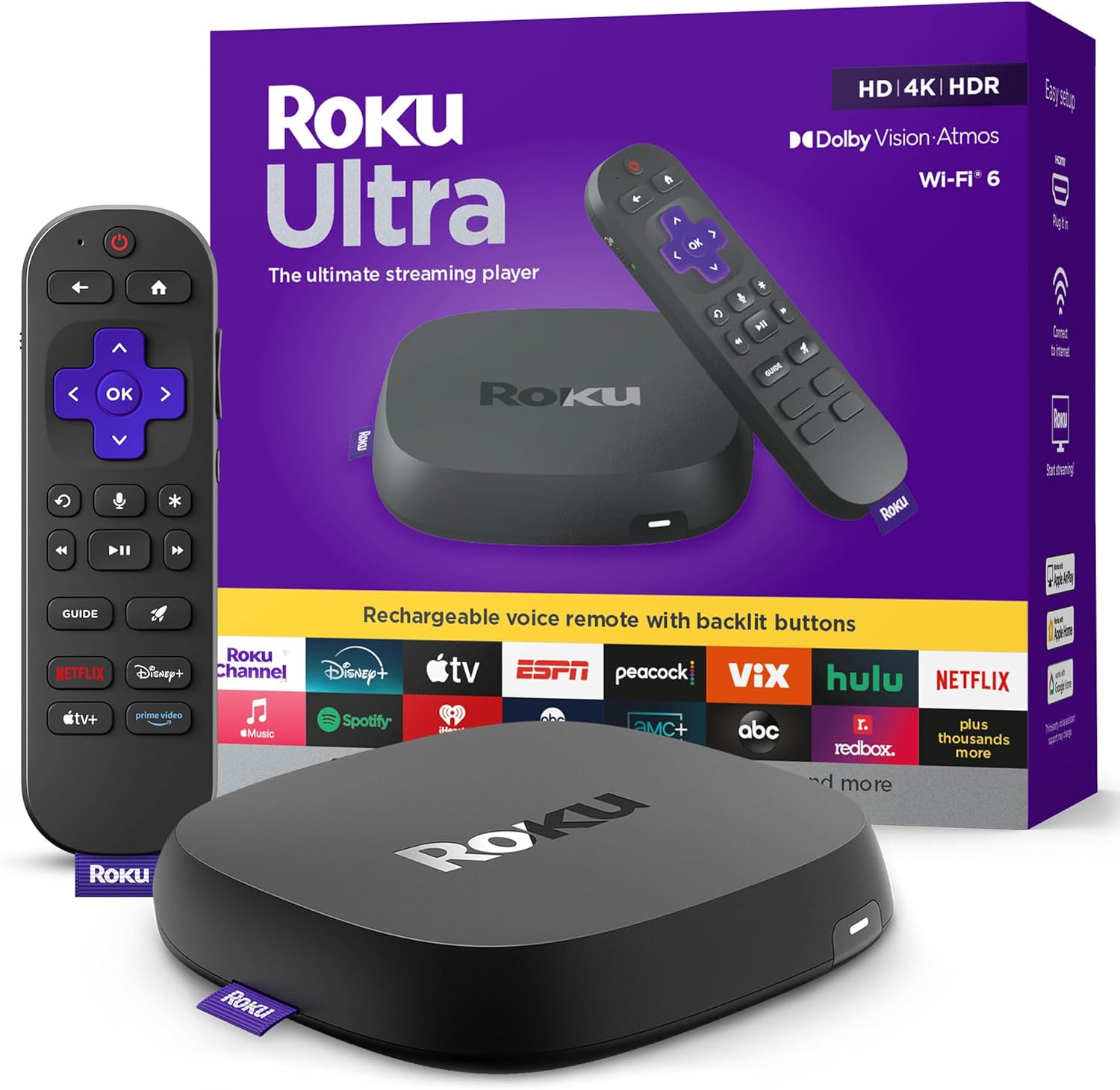
- Features: 4K/60fps HDR10+, quad-core processor, 2GB RAM, Wi-Fi 6, Ethernet, voice remote, ~$100.
- Pros: Intuitive interface, 15,000+ channels, fast performance, per TechRadar.
- Cons: No Dolby Vision, ads on home screen.
- Best For: Beginners and cord-cutters needing simple, reliable 4K streaming.
2. Apple TV 4K (3rd Gen) – Best Premium

- Features: 4K/60fps Dolby Vision, A15 Bionic chip, 64/128GB storage, Wi-Fi 6, Siri remote, ~$129–$149.
- Pros: Blazing fast, seamless Apple ecosystem, Thread support, per PCMag.
- Cons: Expensive, limited Android compatibility.
- Best For: Apple users wanting top-tier 4K with HomeKit integration.
3. Amazon Fire TV Stick 4K Max – Best Budget

- Features: 4K/60fps Dolby Vision, Wi-Fi 6E, 2GB RAM, Alexa voice remote, ~$60.
- Pros: Affordable, fast, Alexa integration, per CNET.
- Cons: Amazon-heavy interface, ads.
- Best For: Prime subscribers on a budget.
4. NVIDIA Shield TV Pro – Best for Gamers

- Features: 4K/60fps HDR, Tegra X1+ processor, 3GB RAM, GeForce Now, Plex server, ~$200.
- Pros: Powerful, AI upscaling, gaming/streaming hybrid, per Digital Camera World.
- Cons: Overkill for basic streaming, bulky.
- Best For: Gamers and Plex users needing high-performance 4K.
5. Google Chromecast with Google TV 4K – Best Google Integration

- Features: 4K/60fps HDR10+, 2GB RAM, Wi-Fi 5, Google Assistant remote, ~$50.
- Pros: Affordable, clean interface, casting from phone, per RTINGS.com.
- Cons: Slower processor, 8GB storage.
- Best For: Google ecosystem users for easy casting.
How We Chose the Best Devices for Streaming 4K
Criteria for Selecting Top 4K Streaming Devices
We evaluated based on:
- Video Quality: 4K/60fps, HDR10+/Dolby Vision, per TechRadar.
- Performance: Fast processors, 2GB+ RAM, per PCMag.
- Connectivity: Wi-Fi 6/6E, Ethernet options, per Digital Camera World.
- App Ecosystem: Certified for Netflix/Disney+ 4K, per CNET.
- User Feedback: 4.0–4.8/5 ratings from Amazon/Best Buy, Reddit (r/cordcutters), X posts (@StreamingGear).
- Price-to-Value: Balances cost ($50–$200) with features, per RTINGS.com.
Quick Comparison of Best 4K Streaming Devices
| Model | Price | Resolution | Processor | Wi-Fi | Key Features | Best Use |
| Roku Ultra | ~$$$ | 4K/60fps HDR10+ | Quad-Core | Wi-Fi 6 | 15,000+ Channels, Voice Remote | Overall/Cord-Cutters |
| Apple TV 4K (3rd Gen) | ~$$$ | 4K/60fps Dolby Vision | A15 Bionic | Wi-Fi 6 | Thread Support, Siri Remote | Premium/Apple Ecosystem |
| Fire TV Stick 4K Max | ~$$$ | 4K/60fps Dolby Vision | MediaTek MT8696 | Wi-Fi 6E | Alexa Voice, 2GB RAM | Budget/Prime Users |
| NVIDIA Shield TV Pro | ~$$$ | 4K/60fps HDR | Tegra X1+ | Wi-Fi 5 | GeForce Now, Plex Server | Gamers/Plex Users |
| Chromecast with Google TV 4K | ~$$$ | 4K/60fps HDR10+ | Amlogic S905X4 | Wi-Fi 5 | Phone Casting, Google Assistant | Google Ecosystem/Casting |
Benefits of 4K Streaming Devices
Why Choose a Dedicated 4K Streaming Device?
4K streaming devices provide crisp 4K HDR video, faster app loading, and Dolby Atmos support, outperforming TV apps, per TechRadar. They enable cord-cutting with live TV (YouTube TV) and multi-room streaming, per PCMag. Voice remotes simplify navigation, and Ethernet ensures stable 4K, per CNET. At $50–$200, they’re a smart upgrade for older TVs, future-proof with Wi-Fi 6E, per RTINGS.com.
What Users Say About These 4K Streaming Devices
Feedback from Amazon, Best Buy, Reddit (r/cordcutters), and X posts (@StreamingGear):
- Roku Ultra: “Fast, easy, tons of channels – no lag on 4K Netflix,” 4.7/5, per TechRadar.
- Apple TV 4K: “Smooth, best for Apple users – Dolby Vision shines,” 4.8/5, per PCMag.
- Fire TV Stick 4K Max: “Great value, Alexa works well for 4K Prime Video,” 4.6/5, per CNET.
- NVIDIA Shield TV Pro: “Powerful, perfect for Plex and gaming in 4K,” 4.5/5, per Digital Camera World.
- Chromecast with Google TV: “Affordable, clean interface for 4K YouTube,” 4.4/5, per RTINGS.com.
Concerns include ads (Roku/Fire TV), price (Apple TV), and storage (Chromecast), per Reddit r/cordcutters.
Maximize Your 4K Streaming Device
Tips for Optimizing Your 4K Streaming Device
Maximize performance with these tips, per TechRadar and PCMag:
- Roku Ultra: Connect via Ethernet for stable 4K; disable ads in settings.
- Apple TV 4K: Use Thread for HomeKit devices; enable Dolby Vision for movies.
- Fire TV Stick 4K Max: Customize home screen to reduce ads; use Alexa for voice search.
- NVIDIA Shield TV Pro: Set as Plex server for local 4K media; enable AI upscaling.
- Chromecast with Google TV: Cast from phone for quick 4K sharing; update firmware regularly.
- Accessories: HDMI 2.1 cables ($10–$20), Ethernet adapters ($15), and mounts ($20–$50), per Digital Camera World.
Choose the Best Device for 4K Streaming for Your Setup
Choose the Best Device for 4K Streaming for Your Setup
The Roku Ultra shines for simple, app-rich 4K; Apple TV 4K for premium Apple integration; Fire TV Stick 4K Max for budget Alexa users; NVIDIA Shield TV Pro for gamers/Plex; Chromecast with Google TV for casting. Match your device to your ecosystem (Alexa/Google/Siri), budget, and content needs. Shop now on Amazon or Roku for crystal-clear entertainment!